
How to present accommodation services and facilities
A useful list separates what is inside the accommodation, what is provided during the stay and what needs a request or payment.
- Free registration
- No subscription
- Free help to publish your first listing Get free help
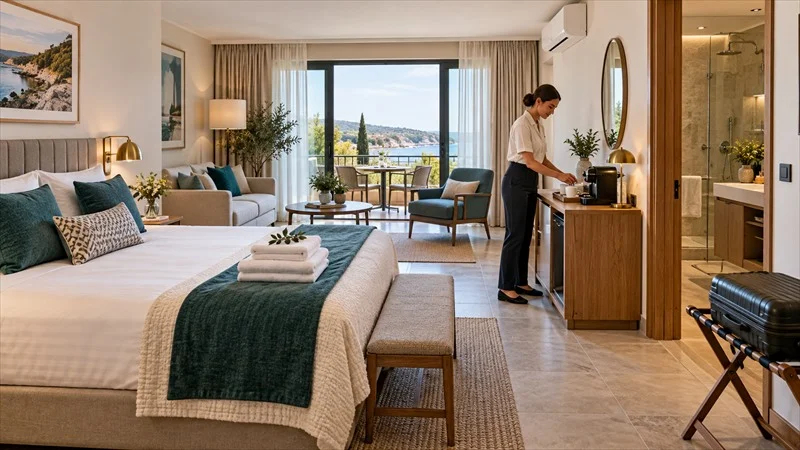
Facilities and services strongly influence a traveller’s choice, but the terms do not mean the same thing. A facility is usually available in the accommodation or property, such as Wi-Fi, air conditioning, a desk, lift or cot. A service involves an action or delivery, such as breakfast, extra cleaning, transfer or an organised late arrival.
Start with what is genuinely available
Review every space and room type against a current list. Do not select a facility that exists in only one room category if it will then appear as available everywhere. When a hotel has several room types, assign information to the correct accommodation.
- facilities physically present in the accommodation;
- services included in the rate;
- free items available on request;
- paid options and reservation conditions;
- rules applying to the selected room.
Separate included, free on request and paid
“Available” does not always mean “included”. A cot may be free but require a request; parking may be paid and subject to availability; breakfast may be included only in selected offers. Use the dedicated fields and prices, then explain useful conditions without burying them in the description.
Prioritise details that affect the decision
Highlight what matters for your usual guests: access, heating or cooling, bathroom, kitchen, connection, parking, workspace, child equipment or accessibility. A long list of ordinary objects should not hide an essential fact.
Describe Wi-Fi, parking and breakfast precisely
These services often cause misunderstandings. State whether Wi-Fi reaches rooms or only shared areas. Explain whether parking is private, public, reservable or a short walk away. For breakfast, say whether it is included, optional, served at set times or unavailable on some days.
Describe accessibility with facts
The word “accessible” is not enough. State what you have checked: steps, passage width, lift, floor, shower or parking position. Do not claim official compliance that you cannot support.
Make stay rules visible
Pet policy, smoking status, child capacity and beds must match the listing selections. An important rule should not appear for the first time after booking.
Connect photographs and information
Photograph facilities that genuinely affect the choice, including kitchen, bathroom, workspace, terrace or baby equipment. The image proves presence while the text explains conditions of use.
Test paid options with real dates
Run a booking test to check that selected services appear in the right place and their effect on the total is clear. If a service is paid only at the property, state this without adding it again to the online amount.
Update the page when a service changes
A facility out of use, a removed parking place or new breakfast hours must be corrected promptly. Review the page periodically and use the publication checklist after renovation or a change of offer.
The simplest rule
Advertise only what travellers can actually use during their booked dates. Separate the facility, service, price and any access condition clearly.
Sources and references
You may also like

How to write an accommodation listing guests want to book
A strong listing does not promise everything. It helps travellers quickly understand the accommodation, its strengths and the conditions of the stay.
Read the guide
Why choose Gomyroof to list your accommodation?
Listing, calendar, payments and reporting: see how Gomyroof helps you publish your accommodation, stay in control and grow your bookings.
Read the guide
List your hotel or guest house online
Putting a hotel or guesthouse online mainly requires presenting the right information in the right place. Here’s how to create a clear listing, keep your availability up to date, and…
Read the guide