
List your hotel or guest house online
Putting a hotel or guesthouse online mainly requires presenting the right information in the right place. Here’s how to create a clear listing, keep your availability up to date, and start receiving bookings on GoMyRoof.
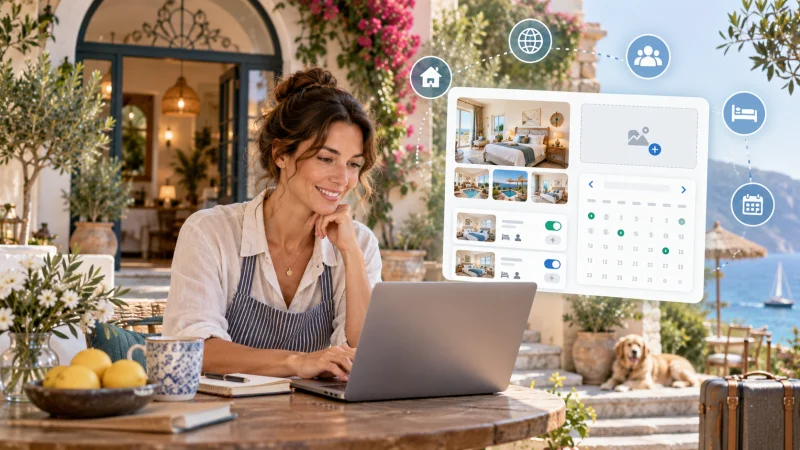
Publish Your Hotel or Guesthouse Online
Putting your property online isn’t particularly complicated. What requires the most attention is choosing the right information and presenting it the way a traveler would like to discover it.
Before booking, people usually want to know where they’ll be sleeping, what’s included in the price, how check-in works, and what happens if they need to cancel. A helpful listing should answer these questions without forcing the traveler to send multiple messages to the host.
On GoMyRoof, you can gradually set up your property, save your work, and publish it when the information is ready.
Start by looking at your establishment like a traveler
You know your hotel or guesthouse perfectly well. The traveler, however, only has a listing, a few photos, and a description to start with.
So try to simply answer the questions they might ask. Is the place downtown or in a secluded area? Is parking available? Is breakfast included? What time can you check in? Does the room have its own bathroom? How many people can actually sleep there?
A good description doesn’t try to make the place seem perfect. Above all, it helps the traveler know if it’s suitable for their stay.
Photographs should follow the same logic. Use recent images and show the spaces that are actually accessible: the bedroom, the bathroom, the common areas, and, when useful, the outdoors. A few clear and well-chosen photos are often more effective than a long, repetitive gallery.
Present the rooms and amenities clearly
If your place has multiple rooms or accommodations, each one can have its own capacity, beds, and services.
Indicate the actual number of travelers that can be accommodated as well as the type of sleeping arrangements offered. A double room, a sofa bed, and a folding bed do not meet the same needs. Making this clear avoids misunderstandings upon arrival.
Then add the services that might influence a traveler's decision: breakfast, parking, Wi-Fi, air conditioning, spa, cleaning, or pet-friendliness. If a service comes with a cost, its price must be clearly stated. If it’s included or free, mention that as well.
GoMyRoof lets you distinguish between included, free, and paid services. Take the time to check this section before posting the listing online.
Keep your prices and availability reliable
A traveler selecting dates expects the accommodation to actually be available. So the calendar deserves as much attention as the description.
You can set your available and unavailable periods, then adjust your prices whenever your organization requires. If you’re already using a calendar on another service, iCalendar synchronization allows you to import and export availability. It reduces the risk of double booking, as long as the different calendars are properly set up and regularly synced.
When a booking comes in through another channel or a room becomes unavailable, update the calendar as soon as possible. Reliable availability protects both the traveler and the host.
Clearly explain how the booking will be paid for.
Depending on the accommodation setup, the traveler can pay for their stay online with Stripe or choose an on-site payment guaranteed by card.
In any case, the payment method, price, and applicable terms are presented before confirmation. Sensitive banking information is handled by Stripe and is not stored by GoMyRoof.
Also remember to check your cancellation policy, your check-in and check-out times, as well as the tourist tax when it applies. The tax to be paid on-site must remain separate from the price already paid online.
This information is not just a formality. It’s often what prevents disagreements after booking.
Review the listing before publishing it
Once the information is saved, open the listing as a traveler would. Check the price, dates, sleeping arrangements, amenities, and displayed conditions.
Also check if the title accurately matches the accommodation presented. A simple title indicating the type of establishment and its location will generally be more understandable than a string of commercial phrases.
If any information is still missing, keep the listing as a draft. It's better to wait a bit than to publish an incomplete listing.
After publication
Once the listing is online, your host dashboard becomes your main point of tracking.
You can find your bookings there, chat with travelers, check your availability, and track online payments and on-site payments separately. Commissions, billing documents, and Stripe payouts also have their own sections.
The listing can continue to evolve. You can update photos, clarify information, modify a service, or block certain dates when the status of the property changes.
Publishing your hotel or guesthouse online is therefore not a final step. It’s a presentation that should stay true to the reality of the property.
Ready to prepare your accommodation?
Start by creating your host area, complete your profile, and then add your first property. You can move forward step by step and publish only when your listing is ready.
Sources and references
You may also like

Why choose GoMyRoof to list your accommodation?
Listing, calendar, payments and reporting: see how GoMyRoof helps you publish your accommodation, stay in control and grow your bookings.
Read the guide
Checklist before publishing an accommodation listing
A practical checklist for reviewing your information, photos, rates, availability, payments and booking terms before your listing goes live.
Read the guide